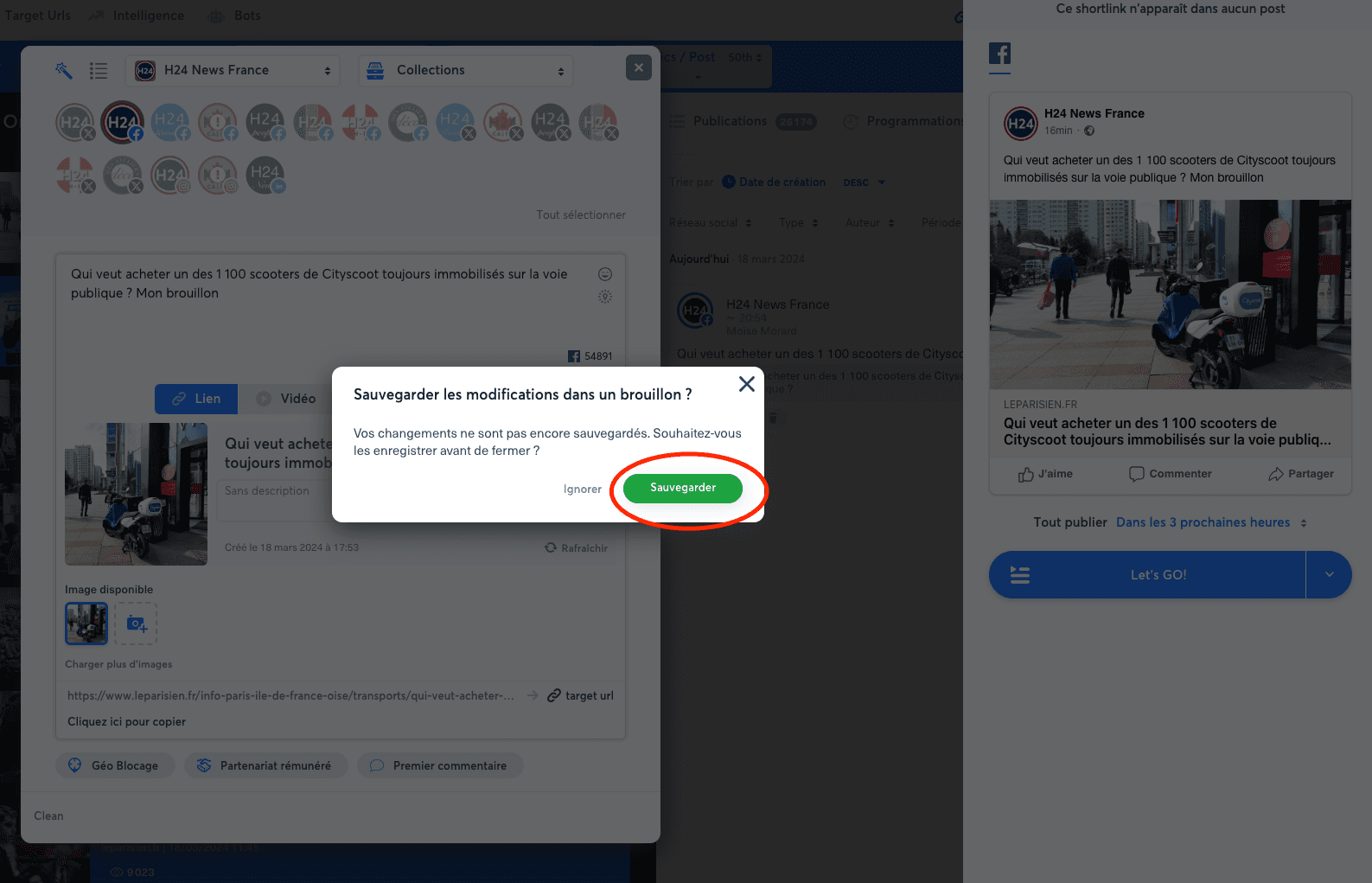
To create a draft post that is visible only to you, prepare your post and click outside the publication window. A modal opens and lets you save the draft.
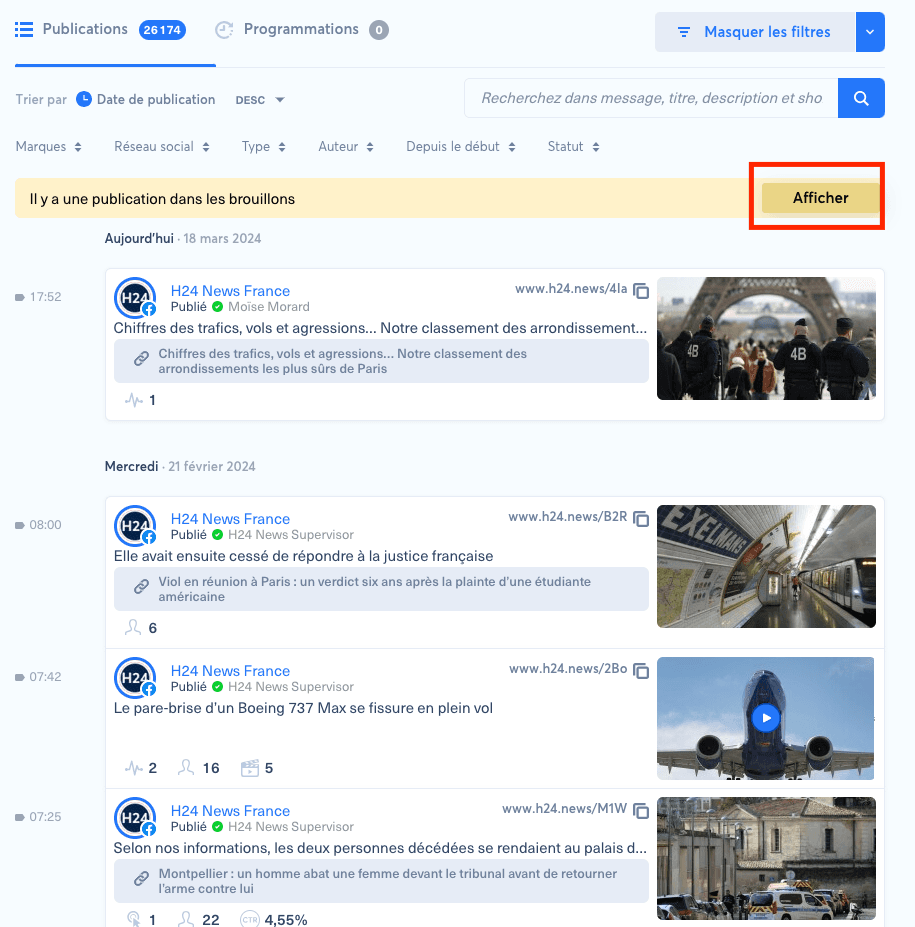
You can then access the draft by clicking the light yellow notification bar.
To create a draft post that is visible only to you, prepare your post and click outside the publication window. A modal opens and lets you save the draft.
You can then access the draft by clicking the light yellow notification bar.