To add a bot to a Telegram channel, create it with BotFather, add it as a channel administrator, then connect its token and the channel username or ID to Nonli. The bot token is a credential: keep it private and only paste it into the official Nonli connection form.
1. Create a bot#
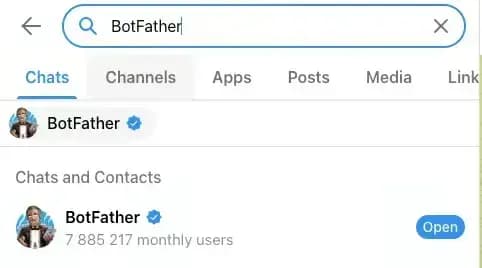
To create a Telegram channel and publish to it with Nonli, first create a Telegram bot. Search for BotFather on Telegram and open the result.
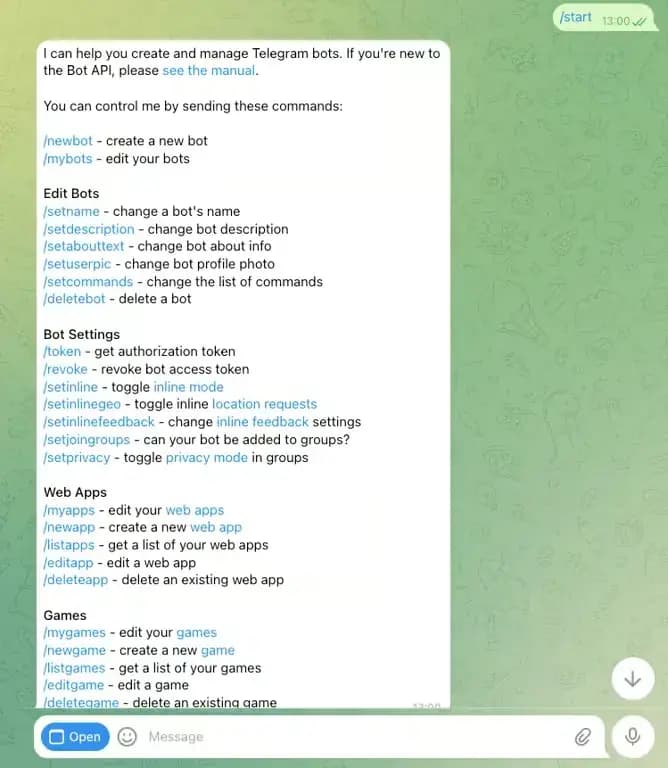
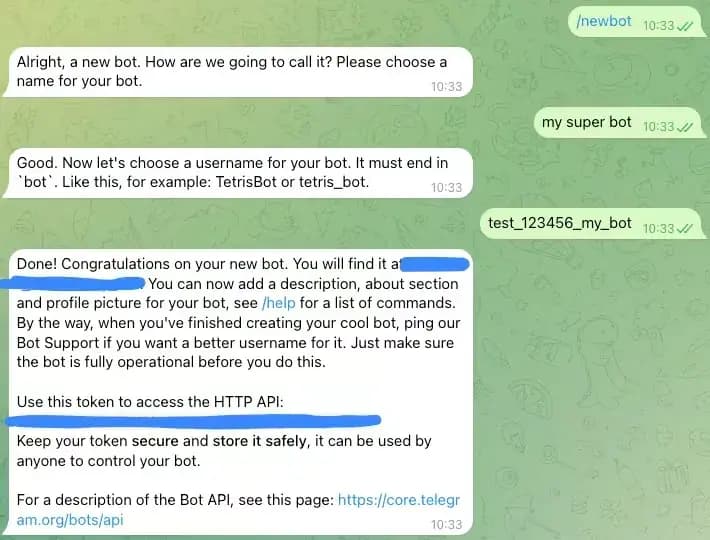
Write /start in the chat to launch the bot editor, then run /newbot and follow BotFather instructions. At the end, you receive a bot token. Copy it and keep it private.
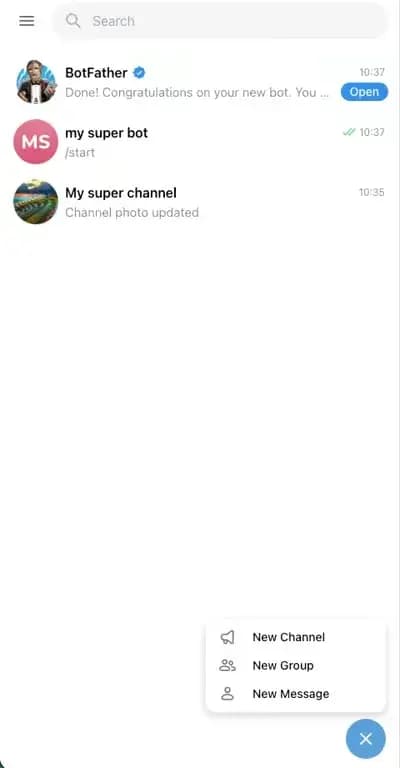
Click the link in the final BotFather message to open the chat of the bot you just created, then click "START".
2. Create a channel#
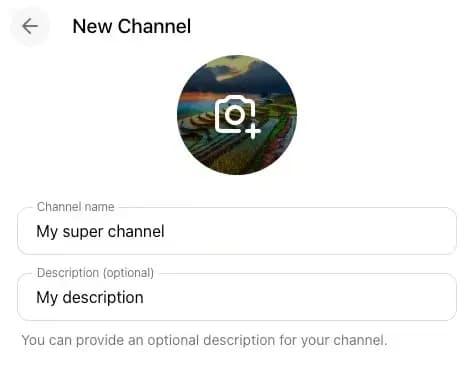
Create a new channel from Telegram, enter its name and description, then validate.
3. Add the bot as administrator#
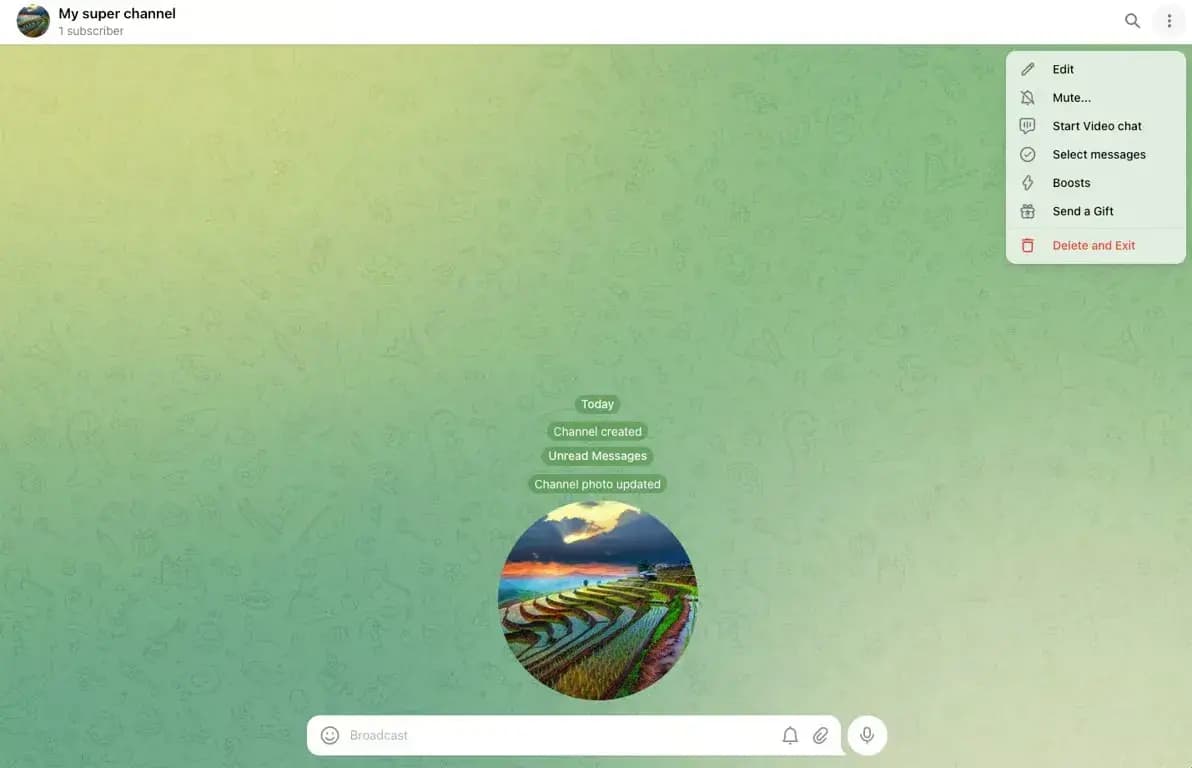
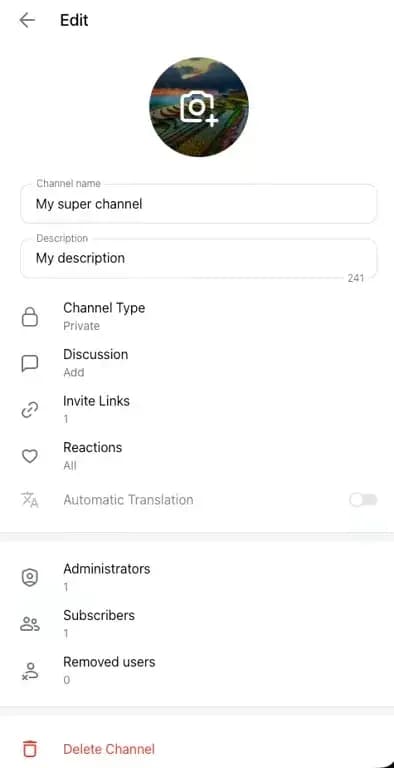
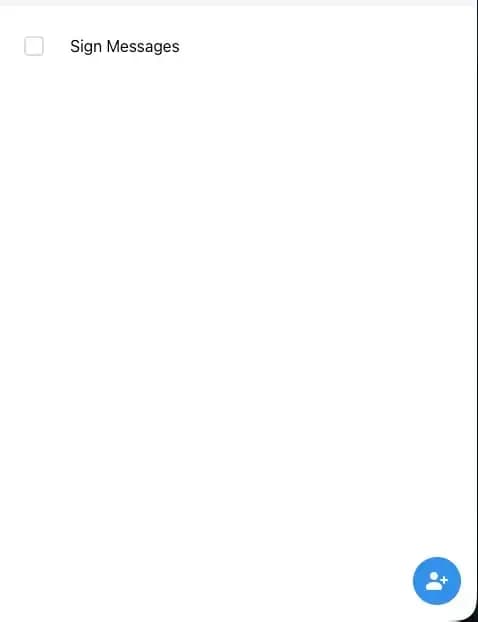
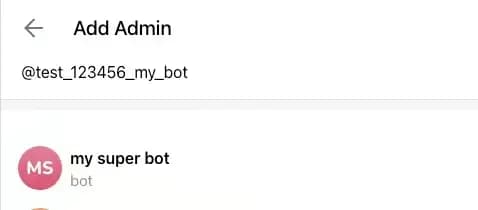
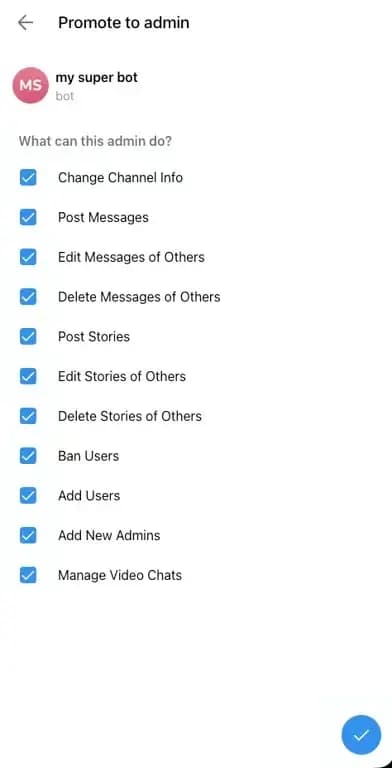
Open the channel settings, click "Edit", then "Administrators". Add the bot you created and validate the permissions it can use on the channel.
4. Connect the channel to Nonli#
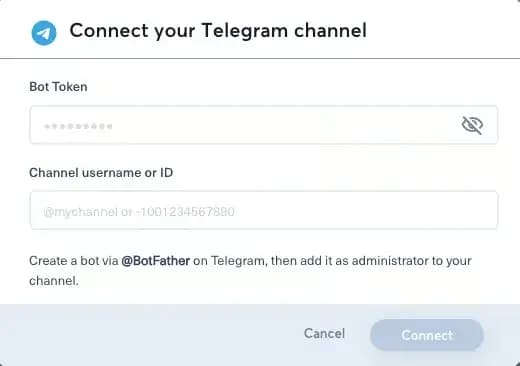
In Nonli, connect the channel as a social account. Paste the Bot Token from BotFather. In "Channel username or ID", paste the public channel username starting with @, or the private channel ID starting with -.
Click "Connect", choose the brand where you want to assign the channel, and finalize the connection.

5. Related guides#
- Learn what the Nonli Telegram connector adds to a publisher workflow.
- Review how to add any social account or page to Nonli.
- Explore the Nonli features for media and publishers.