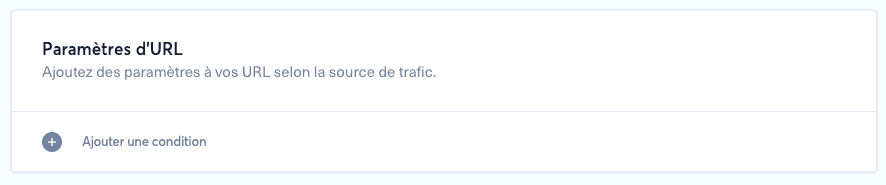
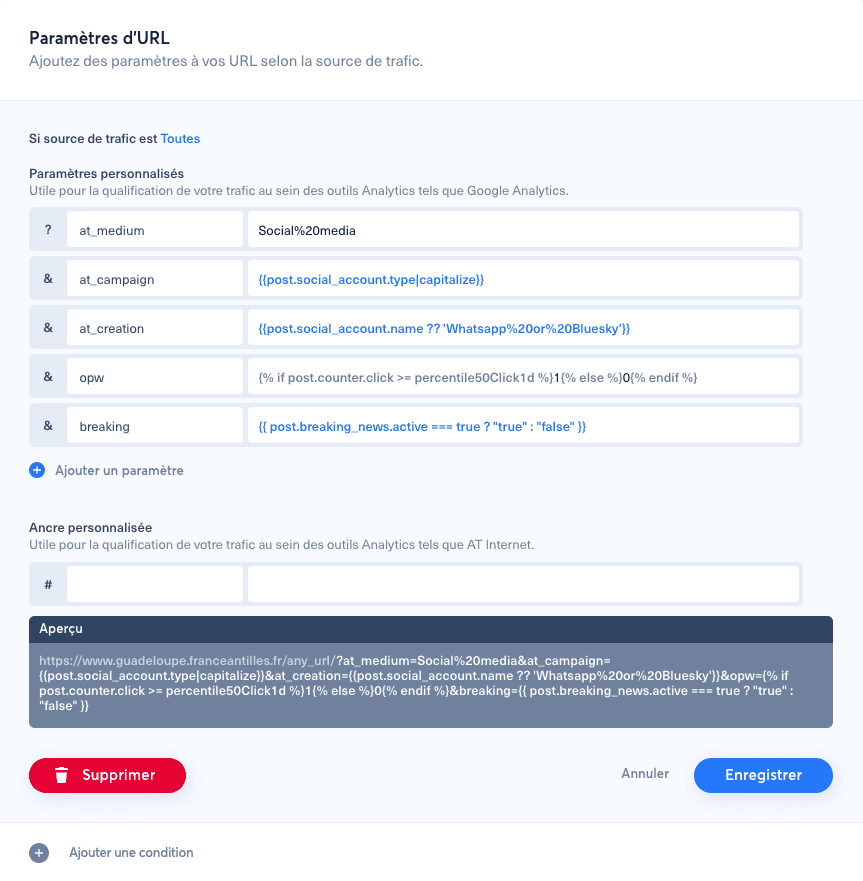
1. Access URL settings#
Click the burger menu, go to "Brands", select the brand you want to configure, then scroll down to "URL settings".
2. Available variables#
post.social_account.external_id: social network account ID.post.social_account.name: social account name.post.social_account.slug: social account username.post.social_account.type: social network type in lowercase.post.post_type: post format, such as image, link, album, video or flying.post.author: Nonli user who created the post.post.breaking_news.active:truewhen the post is breaking news, otherwisefalse.referer: referer value detected by Nonli when available.
3. Available counters#
post.counter.click: number of post clicks.post.counter.engagement: post engagement value.post.counter.reach: unique reach value.post.counter.videoViews: video views for video posts.post.counter.ctr: click-through rate as a percentage.
4. Dynamic percentile calculation#
Dynamic parameters can be built with the format percentile{value}{Counter}{period}.
{value}is a number such as 50, 25 or 95.{Counter}can be Click, Engagement, VideoViews, Reach or CTR.{period}combines a number and a unit: d, h, m, w or y.
Examples:
percentile50Click1d: 50th percentile of clicks over the last day.percentile25VideoViews2m: 25th percentile of video views over the last 2 months.percentile95Engagement24h: 95th percentile of engagement over the last 24 hours.
5. Add conditions#
twig
1{% if post.counter.click >= percentile50Click1d %}OK{% else %}KO{% endif %}You can also use a ternary operator:
twig
1{{ post.counter.click >= percentile50Click1d ? 'OK' : 'KO' }}6. Filters#
Available filters include slugify, camel, clean, cleanText, ucPhrase, encode, capitalize, pregReplace and extractMatch.