Create an API token role before creating the token. Administrator access alone is not enough: each token receives its permissions from one dedicated API role.
1. Before you start#
- Sign in as a company administrator.
- Decide which brands, social accounts, and features the integration needs.
- Prepare a secret manager or another secure location where you can save the token immediately. Nonli displays the complete secret only once.
2. Create the API token role#
- Open the main menu, then select Roles under Workspace.
- Select Add role.
- Enter a clear name, such as “Daily statistics export”.
- Under Role type, select API token role.
- Grant only the required feature and brand permissions. Use read access for an export that does not need to publish or modify data.
- Review the permissions, then select Save.
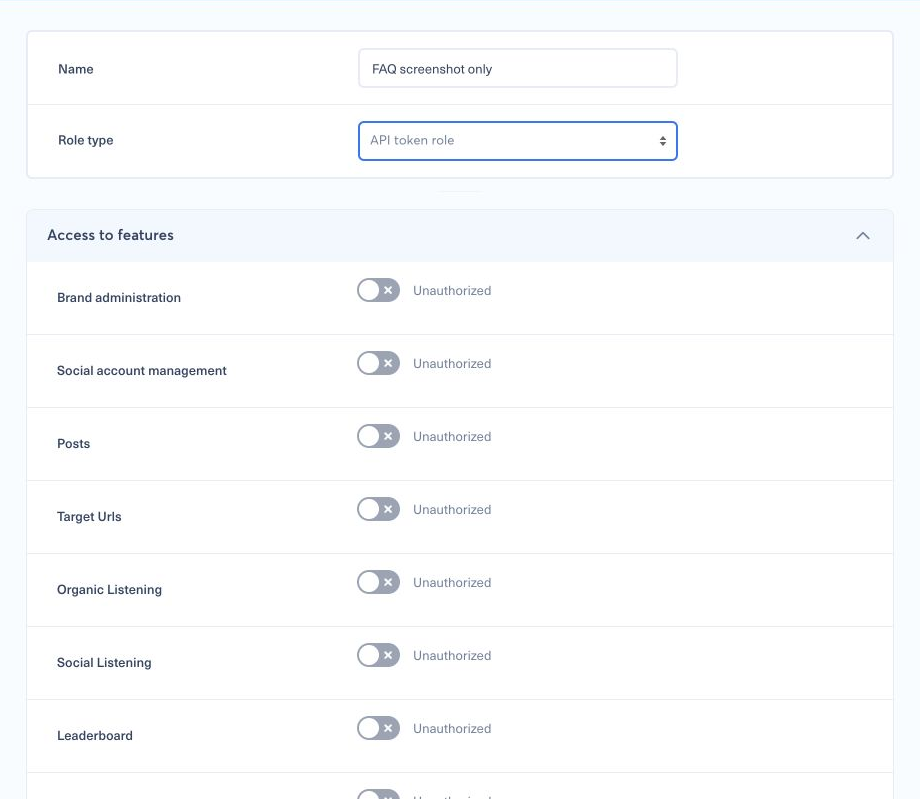
The role controls what the token can see and change. Do not grant administrator-level access to work around one missing permission. You can review the general permission model in How can I configure a new role?.
3. Create the token#
- Open the main menu, select My Company, then find API tokens.
- Select New token.
- Enter a Name that identifies the integration.
- Select the API token role created in the previous step.
- Choose the Expiration date required by your security policy.
- Select Create token.
- When Copy this token now appears, copy the complete token directly to your secret manager. You will not be able to retrieve it from the table later.
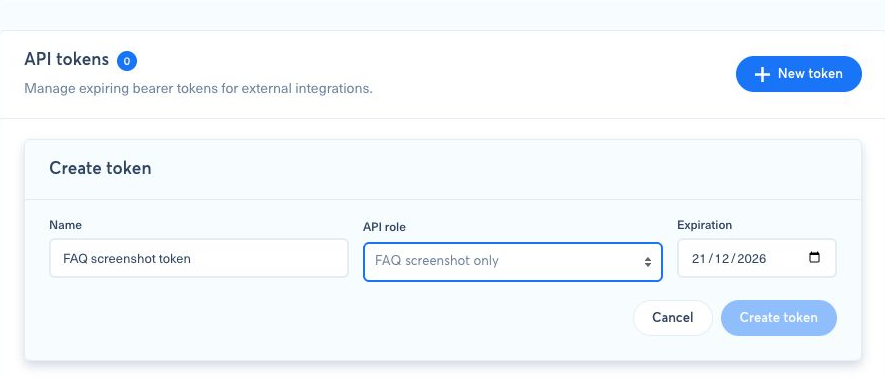
After creation, the confirmation window replaces the form and displays the secret once, so store it securely before closing the window.
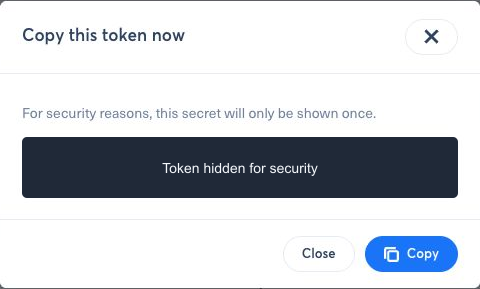
Never place the token in source code, a URL, a screenshot, a support message, or application logs. Anyone who has the value can use the permissions assigned to its role.
4. Authenticate an API request#
Send the token in the HTTP Authorization header:
1Authorization: Bearer YOUR_API_TOKENAPI tokens represent a company role, not a Nonli web user. To test the credential, request GET /brands?size=1&fields=id,name; do not use /me. Continue with the Developer API reference for endpoints, pagination, errors, and request examples.
5. If “No API role available” appears#
Return to Roles and confirm that at least one saved role has Role type set to API token role. A user role cannot be attached to a token.
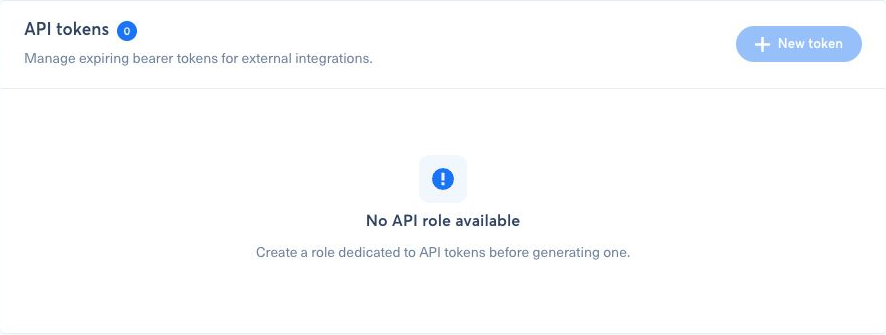
If the page also says Unable to load API roles, please retry, reload the page before changing any role. A loading failure is different from a company that has no API role.
6. Rotate or revoke a token#
Use Rotate when a secret may have been exposed, was lost, or must be renewed. Rotation invalidates the previous secret immediately, so update the integration with the replacement before its next request.
Use Revoke to stop an integration permanently. Revocation also takes effect immediately. The shortened fingerprint shown in the token table identifies a token but cannot be used as a credential.