A front-page bot publishes the image of the day's newspaper front page every morning as a photo post. It does not read an article: it fetches that image from a page of your website, usually the kiosk or "today's paper" page. The bot therefore depends on two things you control: that page must stay readable by Nonli, and Nonli must re-read it regularly.
1. What the bot needs#
- A public page that shows today's front page. It must return
200without login, blocking consent wall, or anti-bot challenge. If your site filters bots, allow the IP addresses listed in Set up Nonli on your website. - A stable URL. The page address stays the same from one day to the next; only the image changes.
- An image extraction rule. Nonli support configures it for your site: it tells Nonli where the front-page image sits in the page. There is no screen for you to edit it.
- A regular re-read of the page. This is the step most often missed, and it is detailed below.
2. Page without the SDK: add the URL to URLs to monitor#
On a recent article, the Nonli SDK asks for a content update when a reader views the page. A kiosk page does not always carry the SDK. In that case nothing asks Nonli to re-read the page: the bot does not see the new front page and publishes nothing, or posts yesterday's again.
If the SDK is not installed on the page that shows the front page, add its URL to URLs to monitor:
-
Open Brands in the administration area, then the relevant brand. This section requires brand administration rights.
-
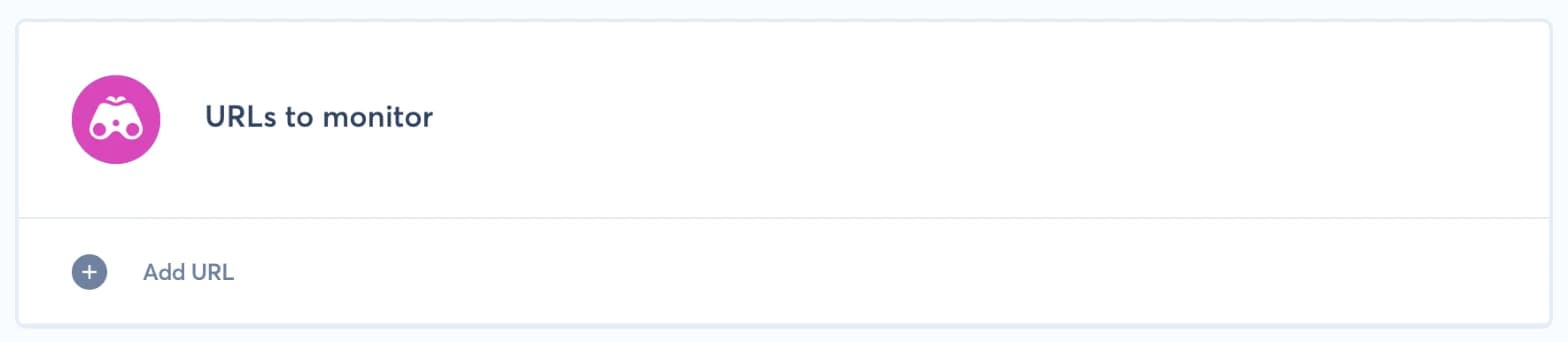
In the brand form, find the URLs to monitor block, below the website blocks.
-
Click Add URL, paste the full address of the page that shows the front page (
httporhttps, 255 characters maximum), then click Save.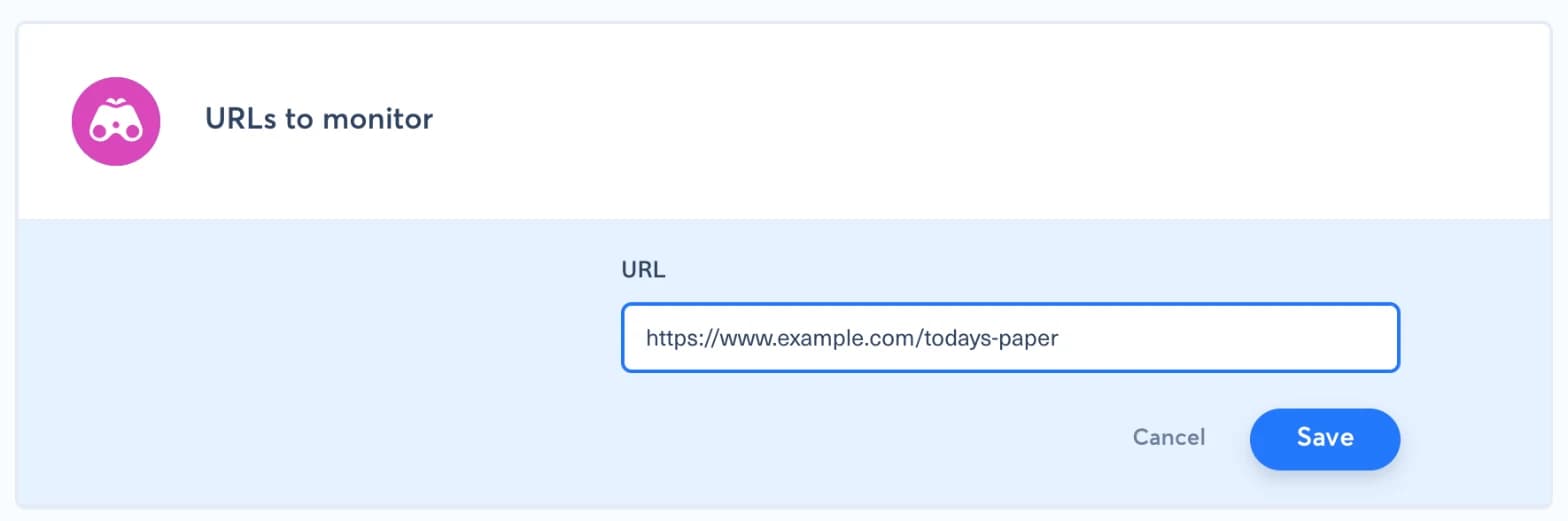
The block only appears on a brand that already exists. Nonli then re-reads every URL in this list several times a day, about every three hours, without waiting for a visit.
Add the URL of the page that contains the image, not the address of the image file.
3. Set the bot schedule#
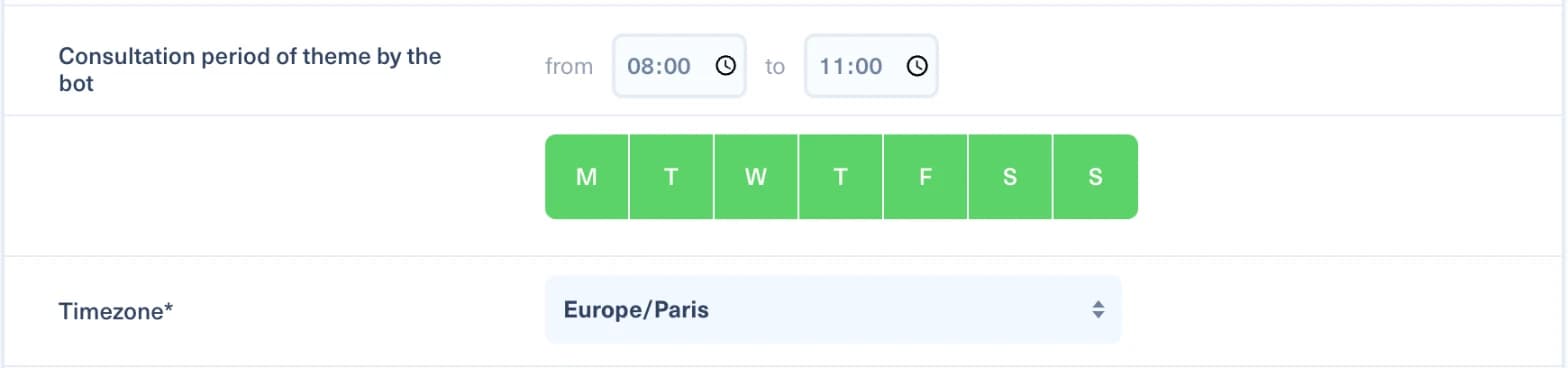
Because the re-read is not instant, leave a margin between the moment the front page goes live on your site and the bot's consultation period. If the page is updated at 5:00 and the bot checks at 5:10, it may only find yesterday's front page. Two settings reduce that risk:
- start the bot's consultation period a few hours after the page is usually updated;
- keep the consultation period wide enough for the bot to check again after the next re-read.
In the bot form, the period is set in Consultation period of theme by the bot, with the days of the week and the timezone just below:
The SDK mainly refreshes recent articles, not a page where only the image changes. If the SDK is on the page but the bot still posts yesterday's front page, add the URL to URLs to monitor as well.
4. The bot no longer publishes the front page#
Check these points in order:
- The bot is active and its social accounts are connected. See Why did my bot not publish this article?.
- The page still responds at the same address, without login or blocking. Open it in a private window.
- The URL is listed in URLs to monitor. Add it if it is missing, even when the SDK loads on the page.
- The page structure has not changed. A site redesign, a new kiosk reader, or a change of provider moves the image within the page, and the extraction rule no longer finds it. This is the most common cause of a sudden stop after months of normal operation.
In the last case, contact Nonli support through the chat with the page URL and the date of the last successful post: the extraction rule has to be adapted on our side. In the meantime, publish the front page manually with a photo post from the Posts tab.
Also tell support before a planned redesign of the kiosk page. The rule can then be adapted on launch day, with no gap in publications.