A coupon code is entered during the applicable Billing checkout or plan-change flow, before the order is confirmed. Open the company’s billing area, choose the eligible plan or pack, reveal the coupon or promotional-code field, enter the code exactly, and apply it.
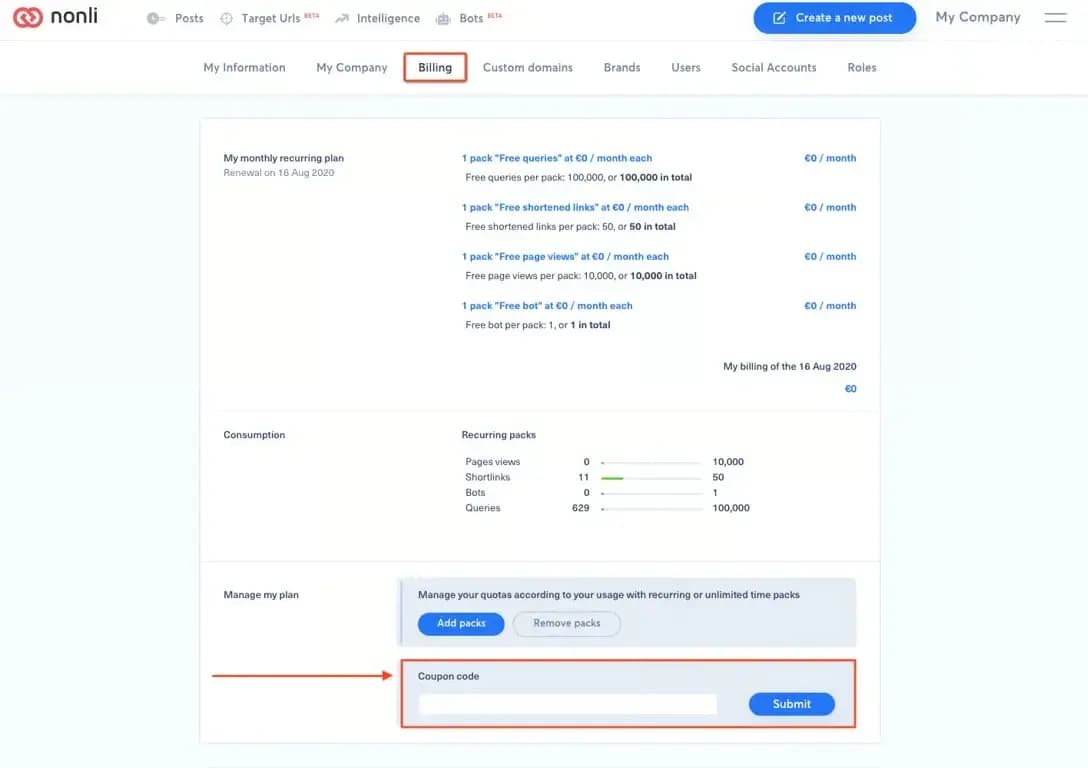
Do not complete the order until the summary displays the expected discount, currency, tax treatment, validity period, and recurring or one-time behavior. A valid code can still be limited to a plan, company, date, first purchase, or billing interval. Codes are not normally applied retroactively to an invoice already issued.
If the code is rejected, check spaces, letter case, expiry and eligibility, then send support the code name, company, chosen product and visible error. Do not send payment-card data. If no coupon field appears, the selected flow may not support that promotion.