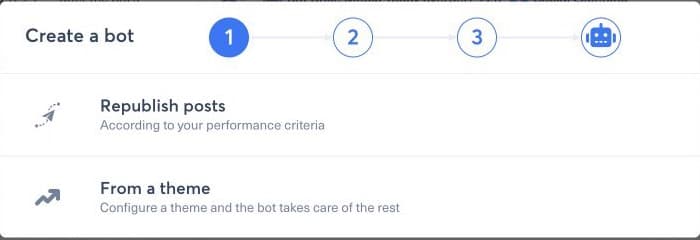
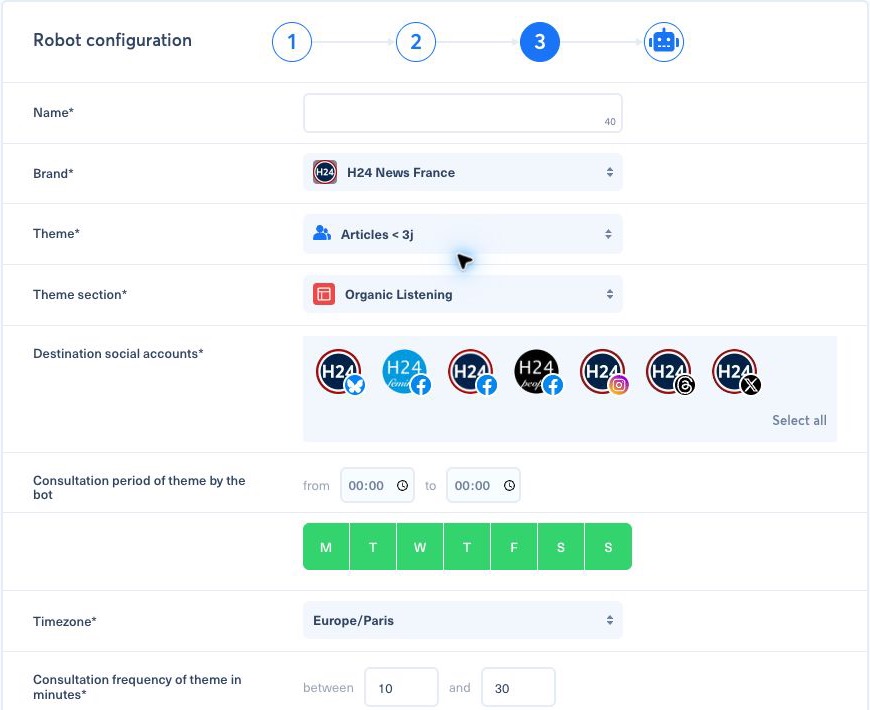
In Bots, select Create a bot, choose From a theme, then Publish to your social accounts. Name the bot and select its brand, theme, section, and destination accounts before configuring its consultation and publication rules.
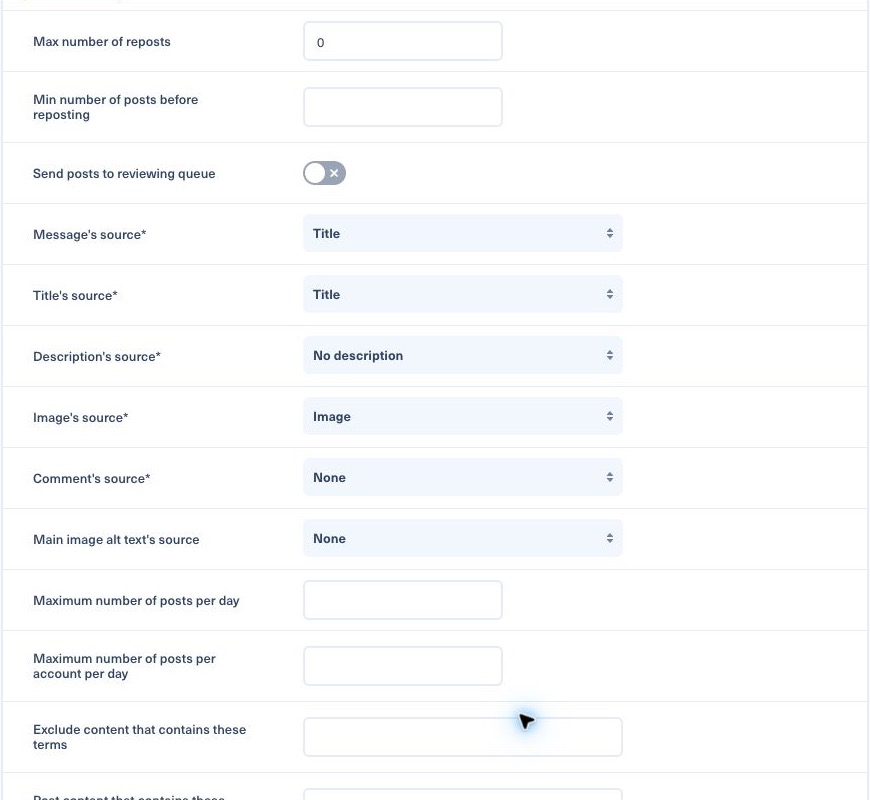
Review the consultation period, active days, timezone, frequency, immediate or scheduled publication, review queue, repost rules, message and media sources, daily limits, include/exclude terms, post-type distribution, hashtags, URL cleanup, Smart Image, and PublishGuard. Save only after checking that the chosen theme contains a representative article and that every destination account is active.
For the message, the built-in Description source uses the full article description that Nonli collected, while a first-sentence template keeps only one sentence. Check what was collected before choosing: see Full collected description or first standfirst sentence.
To trace a missing automated publication across all stages, use Why did my bot not publish this article?.