A breaking news bot should be isolated from other automations: its scope is narrower, its checks are more frequent, and its posts go out faster. Editorial selection should use an explicit signal, usually a tag assigned by the newsroom.
1. Define the breaking-news signal#
Choose one tag, such as breaking news, and document who can add or remove it in your CMS or feed. Do not rely on a word that might appear accidentally in a headline: the tag must represent an editorial decision.
In Intelligence, create a dedicated theme and select this tag in the Tags filter.
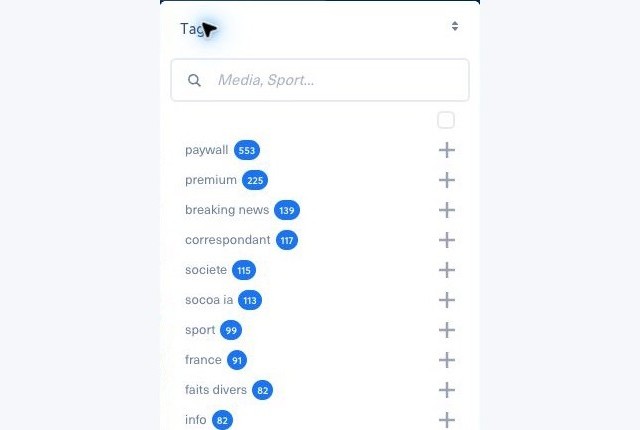
Then limit the window to recently published articles, for example the last two hours. Confirm that the theme contains only alerts that remain valid. Your editorial workflow should remove corrected, retracted, or outdated information from the scope.
2. Create a dedicated bot#
In Bots, select Create a bot, From a theme, then Publish to your social accounts. Choose only the breaking news theme and the accounts that should receive alerts. Create a separate bot for X or any account requiring a different cadence, so it can have independent limits.
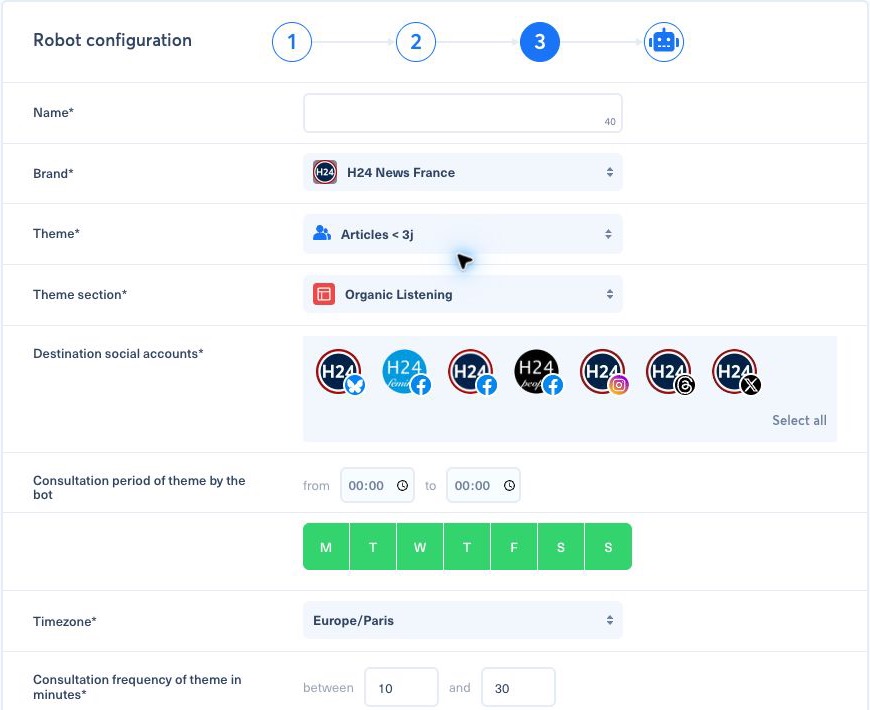
A suitable starting configuration for an active newsroom is:
- operate 24 hours a day, seven days a week;
- check the theme every 5 to 10 minutes;
- select no more than one article per run;
- publish immediately or within the next 15 minutes;
- use the same timezone as the newsroom.
Adjust the cadence to your real ability to confirm and correct an alert. Speed should never bypass editorial validation.
3. Secure publishing#
Start with Send posts to reviewing queue enabled. Check the result on every network, then disable the queue only after the tag workflow and safeguards have been proven reliable.
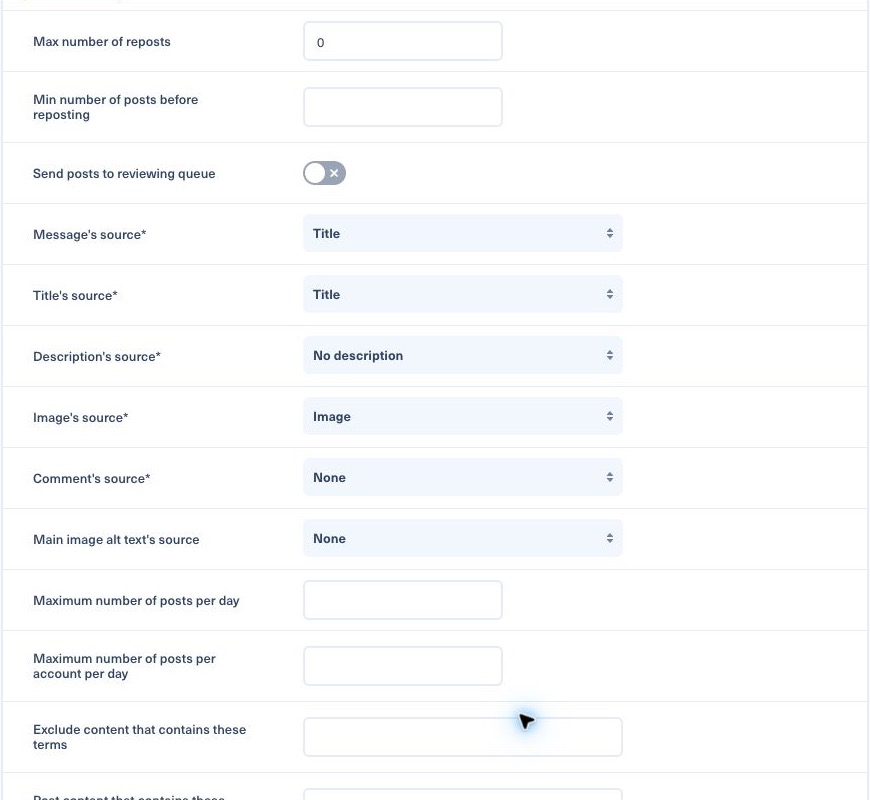
Recommended safeguards:
- Set the maximum number of reposts to
0to avoid sending the same alert twice. - Use the title as the message only when it remains clear outside your website.
- Define a fallback image for articles without an appropriate visual.
- Exclude terms or formats that must never be published automatically.
- Enable PublishGuard after testing the brand rules.
- Keep a daily safety limit that allows for an exceptional news day without being unlimited.
4. Run a controlled test#
Add the tag to a publishable test article, confirm that it appears in the theme, and wait for one bot cycle. Check the detection time, destination, copy, media, link, and duplicates. Remove the test tag afterwards if needed.
Before enabling automatic publishing, also test an article without the tag: it must never be selected. If the bot does not publish an eligible article, see Why did my bot not publish this article?.