An evergreen bot resurfaces articles that remain valuable after the immediate news cycle: guides, explainers, archives, advice, or seasonal content. Keep these articles separate from current news and verify that they remain accurate before republishing them.
1. Organize content by age#
In Intelligence, create one or more evergreen themes. Then configure two independent time windows:
- the Publication filter defines the age of the articles that enter the theme. For example, Publications 60 to 30 days back in time selects only articles published 30 to 60 days ago;
- the aggregation next to Views defines the traffic period analyzed for those older articles. Select on the last 7 days to rank them by page views recorded on the website during the past seven days.

This configuration does not look for articles published during the last seven days. It analyzes the recent traffic of older articles. The 7-day window is a good starting point because it smooths daily fluctuations. Use on the last 3 days when you want to react faster to a sudden resurgence in traffic, accepting a more volatile signal.
The Publication filter also offers the previous month, content from 6 to 3 months ago, 13 to 11 months ago, or more than one year ago.
For a balanced rotation, create a section or theme for each time window. For example, separate:
- recent content to resurface after 30 to 60 days;
- archives from 3 to 6 months ago;
- annual topics from 11 to 13 months ago;
- editorial reference content older than one year.
Exclude immediate-news tags such as breaking news or hot, as well as expired material: live coverage, sports results, weather, finished promotions, outdated job titles, prices, or figures. A query such as NOT tag:("breaking news" OR "hot") is a useful starting point when these tags exist in your feed.
2. Confirm that the content is still valid#
Before connecting a bot, open a sample from each time window and check:
- that the headline and introduction do not present the article as today’s news;
- that dates, links, prices, people, and calls to action are still accurate;
- that the image and its usage rights remain valid;
- that the article has not been republished recently;
- that it still gives the reader a useful answer.
Add a permanent exclusion tag to articles that should never be resurfaced automatically.
3. Create the evergreen bot#
In Bots, select Create a bot, From a theme, then Publish to your social accounts. Choose the brand, one evergreen theme, its section, and the destination accounts.
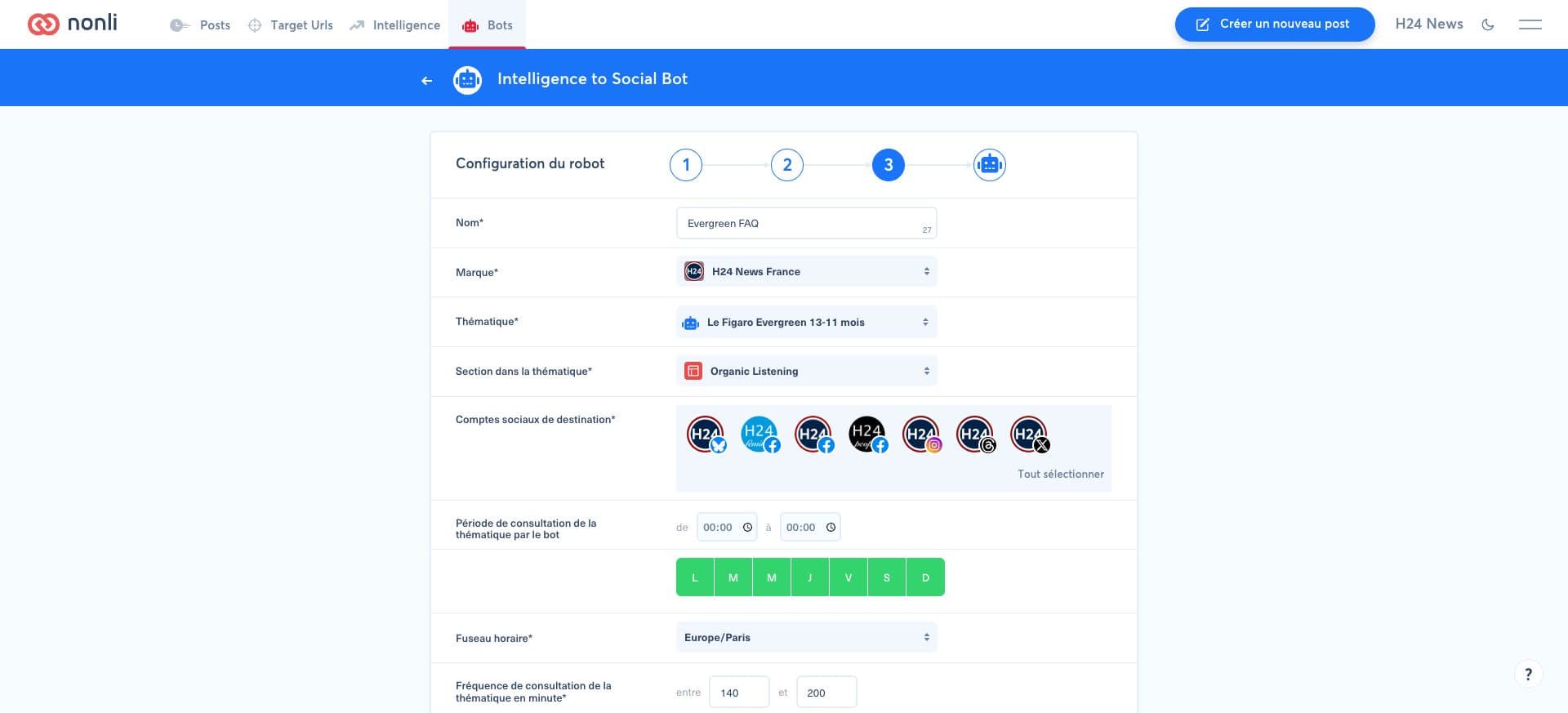
A cautious starting configuration is:
- consult the theme every 140 to 200 minutes;
- select one article per run;
- cap evergreen output at 8 to 10 posts per day, distributed across accounts;
- schedule posts throughout the day instead of publishing them together;
- use a separate bot for a network that needs a different limit.
The final cadence depends on your current-news volume. Evergreen content should complete the editorial calendar, not displace timely coverage.
4. Limit repetition and errors#
For an editorial archive designed to remain useful over time, use these values as a starting point:
- Maximum number of reposts: 10,000. This high ceiling prevents the bot from artificially exhausting an evergreen article that is still relevant. It is a lifetime capacity for the article, not a daily publication count.
- Minimum number of posts before reposting: 240. At an eight-post daily cap, this adds roughly 30 days of spacing. Recalculate this value from the bot's actual daily output (
daily posts × desired number of days). - Repost period: 43,200 minutes (30 days). The same article cannot be proposed again until this delay has elapsed.
These settings therefore do not generate 10,000 posts: the consultation frequency, the number of articles selected per run, and the global and per-account daily limits continue to control the volume actually published. Set both daily limits to match your editorial calendar. Enable the review queue first and use exclusions to block sensitive or expired subjects.
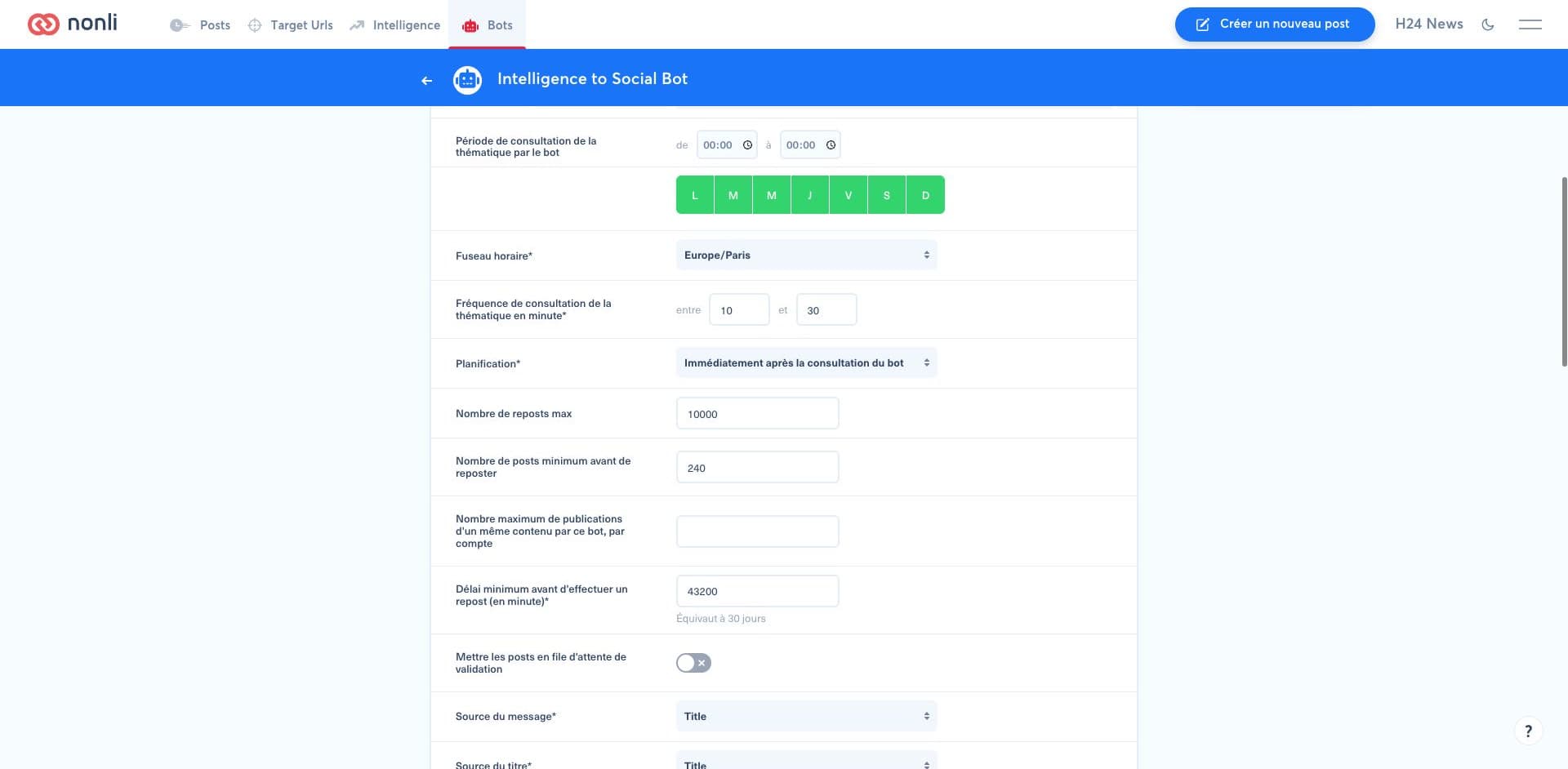
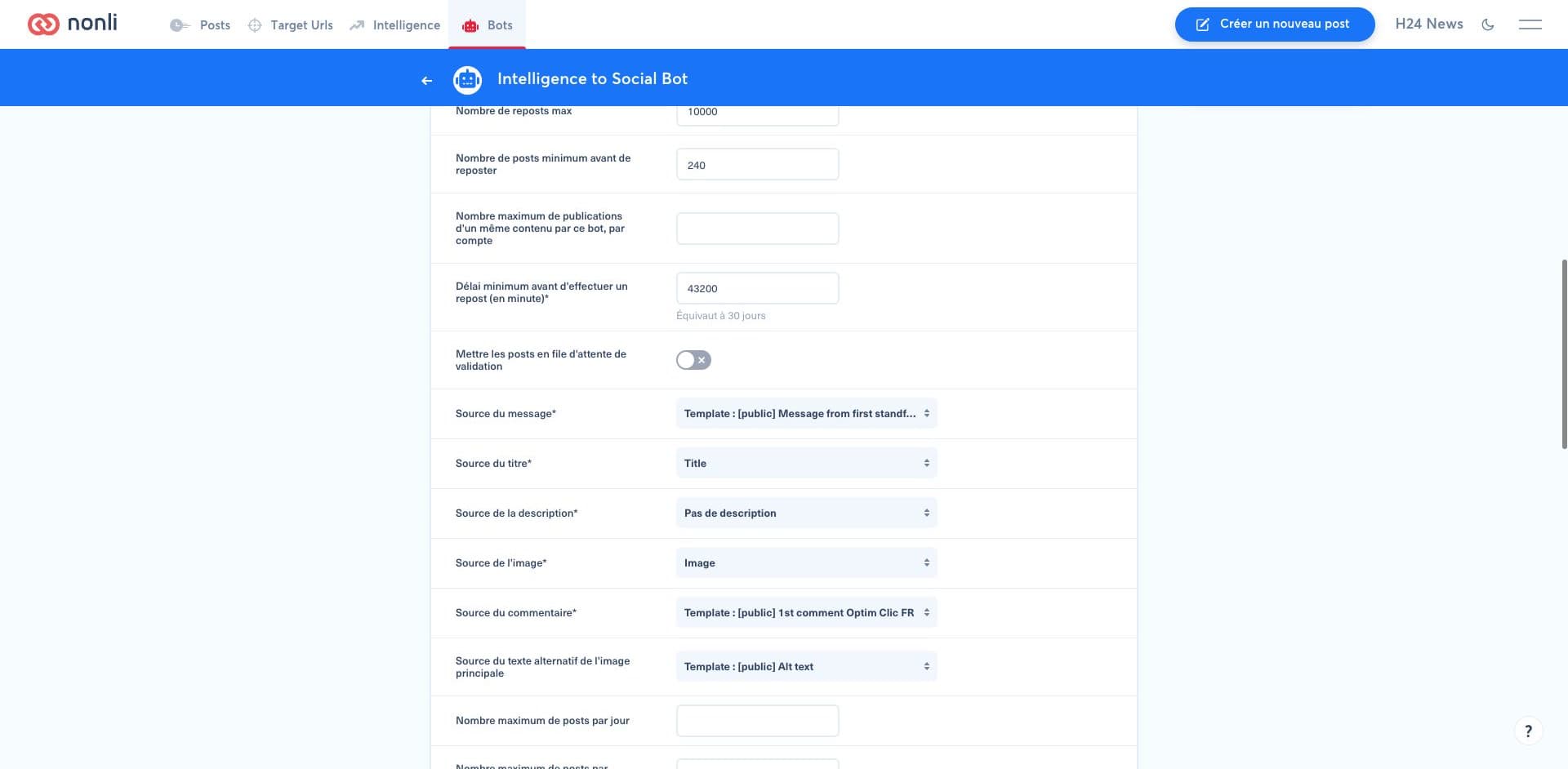
To compose the post, its first comment, and the image alt text:
- under Message's source, select Template: [public] Message from first standfirst sentence to use the first sentence of the standfirst;
- under Comment's source, select Template: [public] 1st comment Optim Clic FR for French-language posts; for another publishing language, select the corresponding localized Optim Clic template available in your account;
- under Main image alt text's source, select Template: [public] Alt text, the Smart Message template dedicated to the main image alt text.
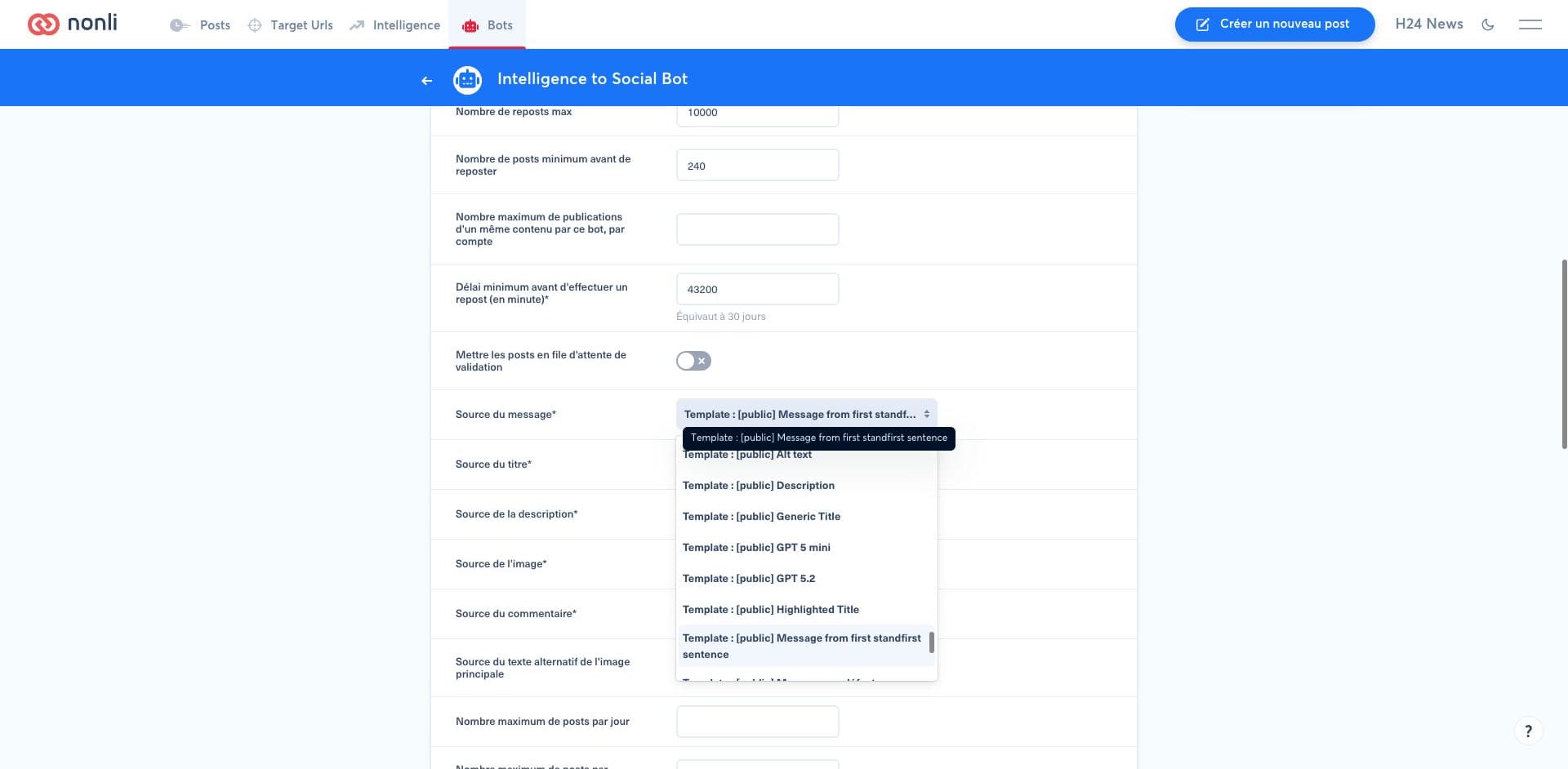
To post the full collected description instead of its first sentence, select Description under Message's source. First check that the collected description is your complete standfirst, then check the network text limits and where the link appears: see Full collected description or first standfirst sentence.
Review the first ten suggestions, then check each week:
- the rejection rate in the review queue;
- duplicates or posts repeated too soon;
- clicks and engagement by age window;
- articles that have become inaccurate or outdated;
- the balance between current, hot, and evergreen content.
If one segment is too small, widen its window or merge it with another. If it creates too much repetition, increase the repost delay or reduce its frequency.