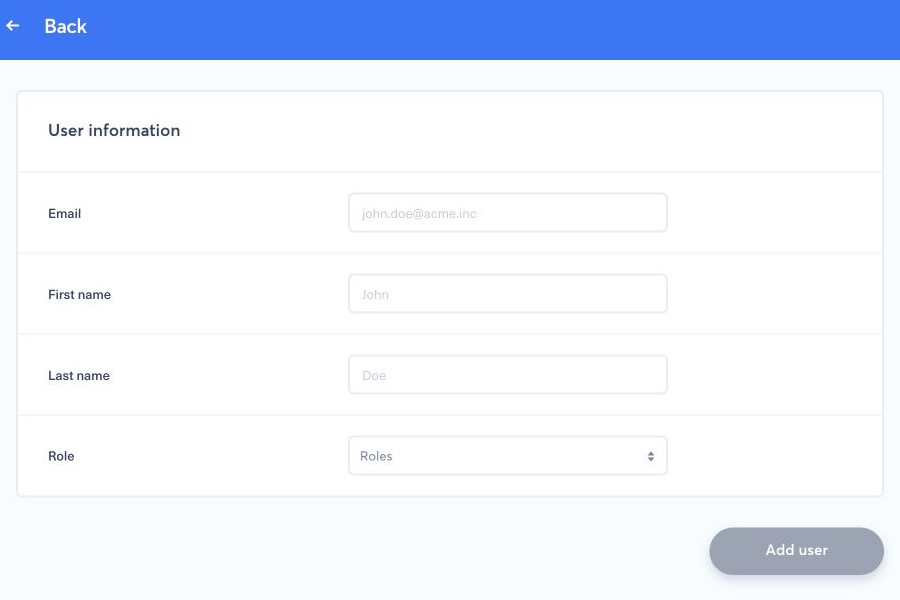
Open the main menu, select Users, then select Add user. Enter each teammate's individual email address and assign only the roles and brands they need. The recipient completes activation and security enrollment from their own invitation.
1. Send an invitation#
- Confirm that the person does not already appear in Users, including as a pending account.
- Select Invite user.
- Enter the teammate's individual work email address, first name, and last name.
- Select the role that gives the required access. Create or adjust a role first if the available choices grant too much or too little access.
- Review the details, then select Add user once. The recipient should use the newest invitation email to activate their account.
If the address is already pending, use Resend confirmation link instead of creating a duplicate user. Ask the recipient to check spam and quarantine folders. Never forward an invitation, password, one-time code, authenticator QR code, or backup code to another person.
For activation, two-factor authentication, missing invitations, and safe recovery, follow the complete user invitation and first sign-in guide.