An error means the publication did not complete normally. It does not automatically mean that the social network is responsible: authorization, media, scheduling, unsupported options, Nonli processing, and temporary platform incidents can all produce an error.
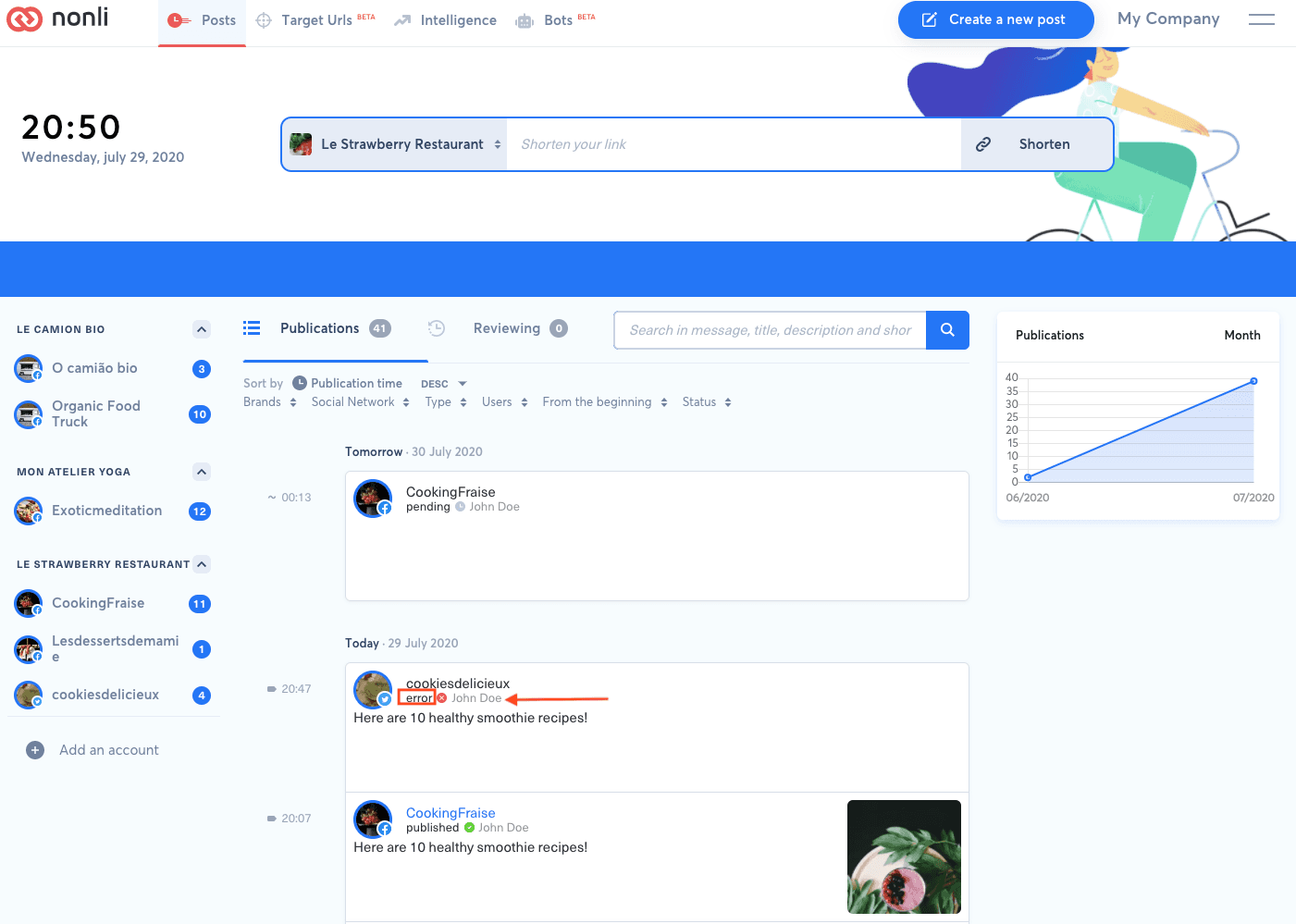
The error status on a failed post in the Posts list. The list shows the status only, not the network message: open that post to read the complete error message returned by the social network.
1. Diagnose the error in this order#
| Check | What to look for | Next action |
|---|---|---|
| Platform incident | Several accounts on the same network fail at the same time | Check the Nonli status page and the network's official status page; wait before retrying. |
| Account authorization | Expired token, missing permission, or reconnection request | Reconnect the social account, then confirm it is active. |
| Facebook identity confirmation | Confirm your identity before you can publish as this Page | Reconnecting is not enough. Follow the steps in Facebook asks you to confirm your identity below. |
| Quota or restriction | Rate-limit, quota, partner-approval, or account-restriction message | Do not loop retries. Resolve the restriction or wait for the stated limit to reset. Instagram has no fixed reset: room becomes available as earlier posts leave a rolling 24-hour window. See how the rolling 24-hour publishing limit works. |
| Media | Unsupported format, codec, duration, ratio, bitrate, or file size | Compare the asset with the current video constraints. |
| Scheduling | Too old to be published, elapsed window, end date, or timezone mismatch | Correct the scheduled time or window before creating another attempt. |
| Unsupported option | A native-app feature is unavailable through the network API | Remove that option or publish it in the native application. |
| Nonli processing | The post remains stuck beyond the normal processing period or several networks fail differently | Gather the evidence below and contact support. |
Messages such as Instagram 2207076 or 2207077, An unexpected error has occurred, X quota errors, and account restriction errors are clues, not complete diagnoses. Read the entire visible message and keep its exact wording.
2. Facebook asks you to confirm your identity#
A Facebook post can fail with this message from Facebook:
Confirm your identity before you can publish as this Page. Open the Facebook app on your phone and follow the instructions.
This is not an expired access token. Facebook is blocking publishing as the Page until a person who manages it confirms their identity. Reconnecting the account in Nonli does not complete this check, and Nonli cannot complete it on that person's behalf.
- Open the failed post in Nonli and check that its error message matches the text above.
- Ask the person who manages the Facebook Page to open the Facebook app on their phone, signed in with the profile they use to manage the Page.
- That person follows the identity-confirmation instructions Facebook shows for the affected Page. The exact screens depend on Facebook and can change. If you do not manage the Page yourself, contact its administrator: only someone with the right access to the Page can complete this step.
- Once Facebook confirms that the check is complete, contact Nonli support so you can check together that publishing to the Page works again.
Do not repeat the publication or reconnect the account again and again while the check is pending: it does not replace the confirmation. Facebook decides when publishing as the Page is allowed again, and Nonli cannot predict how long that takes. Never send identity documents, passwords, verification codes, or recovery information to Nonli support.
3. Retry without creating a duplicate#
Before retrying or cloning, open the target social account and verify whether the post already exists. A delayed network response can leave the post published even when Nonli has not yet received the final confirmation. Retry only after confirming that the target network does not show the post and after correcting the cause. If the status is merely pending, wait rather than creating a second publication.
4. What to send to support#
Provide the brand and social account, target network, post type, visible scheduled and attempted time with timezone, exact error text, and whether a bot created the post. Include a screenshot of the complete Nonli post with secrets and private customer content removed, and state whether the post is visible in the native network. Never send passwords, access tokens, API keys, or authentication codes.
If a bot created the post, also follow Why did my bot not publish this article? to separate generation from publication.